AMD Ryzen 7 9800X3D
NVIDIA GeForce RTX 5080
Ram 32 GB − 6002 MT/s
4sec ago - Quick

UserDiag allows you to get detailed information about a device and test its components.
You can check if your computer is working properly and get advice if any problems are identified.
AMD Ryzen 7 9800X3D
NVIDIA GeForce RTX 5080
Ram 32 GB − 6002 MT/s

Intel Core i9-14900KF
AMD Radeon RX 7800 XT
Ram 32 GB − 5986 MT/s
.jpg)
AMD Ryzen 7 9800X3D
AMD Radeon RX 9070 XT
Ram 32 GB − 6002 MT/s
.jpg)
Intel Core i5-7400
NVIDIA GeForce GTX 1070 Ti
Ram 8 GB − 2394 MT/s
.jpg)
AMD Ryzen 7 7800X3D
NVIDIA GeForce RTX 5070 Ti
Ram 32 GB − 6200 MT/s

Intel Core i7-12700K
GPU Inconnu
Ram 32 GB − 5986 MT/s
.jpg)
Intel Core i5-9600K
NVIDIA GeForce RTX 3060 Ti
Ram 16 GB − 2654 MT/s
Intel Core i5-14600K
NVIDIA GeForce RTX 4070 SUPER
Ram 32 GB − 4788 MT/s
AMD Ryzen 7 7735HS
NVIDIA GeForce RTX 4060 Laptop GPU
Ram 16 GB − 4790 MT/s

Intel Core Ultra 9 275HX
NVIDIA GeForce RTX 5090 Laptop GPU
Ram 64 GB − 5586 MT/s
Intel Core i9-14900KF
AMD Radeon RX 7800 XT
Ram 32 GB − 5986 MT/s
AMD Ryzen 7 7800X3D
NVIDIA GeForce RTX 5070
Ram 32 GB − 4792 MT/s

Intel Core i7-14700KF
NVIDIA GeForce RTX 5070
Ram 32 GB − 5986 MT/s
AMD Ryzen 3 3200G
NVIDIA GeForce GTX 1660
Ram 16 GB − 2396 MT/s

AMD Ryzen 5 9600X
NVIDIA GeForce RTX 5060
Ram 32 GB − 5990 MT/s
AMD Ryzen 7 9700X
NVIDIA GeForce RTX 5070 Ti
Ram 32 GB − 5990 MT/s
AMD Ryzen 7 5800X
NVIDIA GeForce RTX 3070
Ram 32 GB − 2128 MT/s

Intel Core i7-3770
NVIDIA GeForce GT 710
Ram 16 GB − 1330 MT/s

AMD Ryzen 7 7800X3D
NVIDIA GeForce RTX 5070 Ti
Ram 32 GB − 5590 MT/s

Intel Core Ultra 7 155H
NVIDIA GeForce RTX 4050 Laptop GPU
Ram 32 GB − 5586 MT/s

AMD Ryzen 5 7600X
AMD Radeon RX 9060 XT
Ram 32 GB − 5990 MT/s
Intel Core i7-14650HX
NVIDIA GeForce RTX 4070 Laptop GPU
Ram 32 GB − 5586 MT/s
AMD Ryzen 5 9600X
AMD Radeon RX 9070
Ram 32 GB − 6002 MT/s
AMD Ryzen 5 7600X
AMD Radeon RX 7800 XT
Ram 32 GB − 6400 MT/s
.jpg)
Intel Core i5-13600KF
NVIDIA GeForce RTX 3070 Ti
Ram 32 GB − 3192 MT/s
.jpg)
AMD Ryzen 7 5700X
NVIDIA GeForce RTX 5070
Ram 32 GB − 3194 MT/s
Intel Core i7-4710HQ
NVIDIA GeForce GTX 850M
Ram 16 GB − 1596 MT/s

Intel Core i7-8700
NVIDIA GeForce RTX 2060
Ram 32 GB − 2650 MT/s
AMD Ryzen 7 9800X3D
AMD Radeon RX 7900 XTX
Ram 32 GB − 5990 MT/s
Intel Core i7-11800H
Inconnu
Ram 16 GB − 3192 MT/s
AMD Ryzen 7 5800X
NVIDIA GeForce RTX 5090
Ram 32 GB − 3200 MT/s
.jpg)
Intel Core i5-12400F
NVIDIA GeForce RTX 3050
Ram 32 GB − 2128 MT/s

AMD Ryzen 5 PRO 4650U
AMD Radeon Graphics
Ram 16 GB − 3194 MT/s
AMD Ryzen 5 2600
NVIDIA GeForce GTX 1660 SUPER
Ram 16 GB − 2394 MT/s

AMD Ryzen 7 9800X3D
NVIDIA GeForce RTX 5060 Ti
Ram 32 GB − 4792 MT/s
Intel Core i5-9600KF
NVIDIA GeForce RTX 2060
Ram 16 GB − 2400 MT/s
.jpg)
AMD FX-6300
NVIDIA GeForce GTX 1050 Ti
Ram 8 GB − 1340 MT/s

AMD Ryzen 5 5500
NVIDIA GeForce GTX 1650
Ram 16 GB − 3194 MT/s
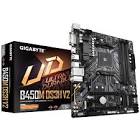
Intel Core Ultra 9 285K
GPU Inconnu
Ram 48 GB − 8402 MT/s
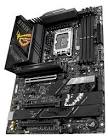
Intel Core i5-12400F
NVIDIA GeForce GTX 1050 Ti
Ram 32 GB − 2128 MT/s

AMD Ryzen 7 5700X
AMD Radeon RX 9060 XT
Ram 32 GB − 3200 MT/s

Intel Core i7-11800H
Intel UHD Graphics
Ram 16 GB − 3192 MT/s
AMD Ryzen 7 7800X3D
NVIDIA GeForce RTX 5070
Ram 32 GB − 6388 MT/s
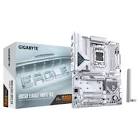
Intel Core i7-9700K
AMD Radeon RX Vega 56
Ram 16 GB − 2144 MT/s
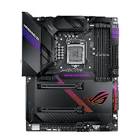
AMD Ryzen 7 5800H
NVIDIA GeForce RTX 3070 Laptop GPU
Ram 16 GB − 3194 MT/s
Using UserDiag is simple and no installation is required.
Launch the tool, choose one of the three diagnostics and UserDiag do the rest.
Various computer components are then tested. Useful information for diagnosis regarding software and hardware configuration is collected.
Once completed, UserDiag exports a comprehensive report on the computer's health, with advice and solutions if any problems have been identified.

This is my PC :)

Example of an automatic report analysis by UserDiag
The report consists of three sections.
The first contains the self-analysis of the report by UserDiag, with advice to resolve identified issues.
The second groups together information such as software configuration and computer components.
The third part offers graphs recorded during the various tests. This allows detailed analysis of metrics such as temperature, frequencies, voltages, or component consumption.
UserDiag uses real-time monitoring technologies provided by HWiNFO.
This integration allows accurate and reliable readings of frequencies, temperatures, voltages, and other metrics.
Other specialized tools are also used during component tests, such as FurMark (graphics card), Prime95 (processor), or diskspd (storage).
This is done with the permission of their developers or via their license. Thank you!

If you have any questions, feel free to check the FAQ or the documentation.
Enjoy with it!